The Photo Extremist YouTube ChannelThe Photo Extremist Twitter Account

6Dec/108

Photographic Special Effects with Christmas Lights

This video shows you how to take psychedelic abstract long exposure photographs of Christmas lights. You'll want to set your camera's shutter speed to to BULB mode and use your camera's pop-up flash (or external flash), then spin yourself around in front of your Christmas tree. It helps if all the lights are turned off in the room except for the Christmas tree lights.

Here are the six different tricks. There will be an image on top, and an description underneath each image.

long exposure spinning in a chair next to christmas tree lights

Spin either in a chair or while standing up. Try not to move your arm, hand, or head while doing this, because it will cause unwanted camera-shake. You can experiment moving your arm up and down or something if you want to, it just will give you a different effect.

psychedelic alien long exposure slow flash sync

Hold your camera by the lens out in front of your with your right hand, twist just like you did in the first trick, only this time take your left hand and move your camera so it zooms in and rotates at the same time. If you do this several times, you should eventually get a result where the lines will twirl around you, like you are in some type of TRON video game or something. And hey, Photoshopping your face using the Liquify tool to make you look like an alien never hurts.

Christmas Tree Lights with 6X Cross Filter

Use a star filter screwed on the front of your camera lens. This will slice and the light into thin lines. This looks cool when you twirl the filter around your lens as well because the stars will appear to be "twinkling".

Abstract Golden Long Exposure of Christmas Lights

Use manual focus, still in bulb mode, and simply move your camera around your Christmas tree while the exposure is taking place. You will end up with really techy-yet-beautiful abstract photographs that you can use in backgrounds for Photoshop projects or the like.

Zoom long exposure abstract
Put your camera on a tripod and zoom in while the exposure is taking place.
Multiple Exposure of Abstract Christmas Tree Lights long exposure

If you have a higher end DSLR (I'm using a Nikon D300s) there may be a Multiple Exposure function somewhere in the camera's menu. I like to set it to ten and then take several exposures, each shot at a different focal length.

10May/1012

Star Trails Tutorial

Star Trails

These are a great challenge, and the best part is, you don't know exactly what the photograph will look like until after you've taken it. In order to take star trail shots you need three essential things: A DSLR with a BULB mode, a tripod, and a rubber band and eraser. There are other methods to taking star trails too which require more tools, but if you have those three things than you can get away with taking a fine photo.

Star Trails with space observatory

Blue Star Trails with Tree

360, 30 sec exposures combined. (3 hours exposure in total). Nikon d70s was used with power cord.

Star trails are really fun. Find a good foreground and then make sure the sky is clear with minimal light pollution. It is going to be harder to do fantastic star trail shots if you live in the city because the light from the city bounces off the atmosphere and causes the entire sky to glow. Ideally, we only want the stars to glow. Also, it is best if there are no clouds around when doing this.

You will need a tripod and a device that can take exposures one after the other. You can take one huge long exposure, but the noise in the image adds up with long exposure times, especially if it is a hot summer night. In order to get around this noise issue, we can take a bunch of 30 second exposures one after the other and then combine them into one image on the computer. Either method is up to you.

There are different tools we can use when taking star trails:

1) Use an Intervalometer (ultimately this is the best way, especially if your camera has one already built in)

2) Use a remote

3) Use a cable release (best way if you are using film)

4) Use a rubber band and eraser (cheapest, quickest way)

5) Use Camera controlling software on your laptop. (This won't be discussed in this article)

Lets look at each method below to see which one is right for you.

Using an Interval Timer Shooting mode (or an Intervalometer)

Intervalometers are on the Nikon D700, D300, and D300sIf you are using a higher-end DSLR, your camera should have an interval timer shooting mode (or sometimes called Intervalometer) already in the camera. The intervalometer will allow you to take 30 second exposures one after the other, automatically.  We can then take all these exposures and combine them together on the computer. Check your cameras manual or go inside the camera menu to see if it has an interval timer shooting mode. If it does, set everything on manual (manual focus, manual white balance) Take 30 second exposures with minimal amounts of interval time in between each exposure. Some cameras take longer to write the image to the card and it takes longer than one second, so you may have to set the interval times for 2 seconds. Go by trial and error until you get it right. Take anywhere from 50-300 frames.

Using a Remote to take Star Trails

Nikon ML-L3 Wireless RemoteUsing a remote is better for lower end DSLRs that don't have an interval timer shooting mode. You’ll need to set your camera to manual mode, and then scroll your exposure time to the longest time possible, this is called the BULB mode. Push the button on your remote and and your shutter should lock up and start taking the photograph. Not all remotes and cameras are created equal, so you might want to check with a local camera dealer to see if this will work with your camera. It works with the Nikon d50 for sure, and probably the D70.

Using a Cable Release

Cable releases lock your shutter when in BULB mode so you can to the exposure for as long as you want. If you are using a Nikon film camera, then this is the best option for you. I’d recommend the ACR Cable.

Using a Rubber Band

This method is best when you just want to practice and get the hang of things without paying for a bunch of stuff extra stuff. Get an eraser and place it on your shutter button, then just wrap it up using a rubber band. I learned this trick from QQQQcon on YouTube, a great wildlife and landscape photographer.

Because all cameras are different, you still might not know what method is best for you. If that is the case, use the rubber band method or  ask forums or your local camera dealer on what you should get for your camera. A good resource online would be to search Flickr Groups for your camera model, join the group, look around to see if your question already has been answered, and if it hasn’t, ask. Expect to get an answer within the first 10-120 minutes.

Camera Settings for Star Trails Photos

Now that we have all the options out of the way, let’s just simply look at what settings we need to do when we are actually outside with out camera and tripod. Depending on the weather, your lens could possibly fog up completely. In order to prevent this, wrap some hand warmers around your lens with a rubber band, or get a miniature fan to constantly blow wind onto your lens. These things might not be necessary, it all depends on how cold and humid it is.

Focusing:

Set your camera to manual focus and focus out into infinity. Your camera won’t be able to use Autofocus in these dark conditions. Take a test shot to make sure your stars are sharp.

Exposure Time and ISO:

Now let’s calculate the exposure. If you are using one big long exposure and you’re not combining a bunch of 30 second exposures, take one 30 second exposure at ISO 1600. If it looks good, just take that 30 seconds and multiply it by 16. If you are using ISO 3200, multiply the shutter speed you used by 32, and so on. The number you get after multiplying the shutter speed you used by the iso you used will tell you the shutter speed (in seconds) you will need to use when shooting at ISO 100. Using ISO 200 should be fine when using that same exposure time too, it will be a little brighter.

If you are taking a bunch of 30 second exposures and then combining them on the computer, you don’t need to do this because all of your frames are going to be 30 seconds.

Aperture:

What should the aperture be when shooting star trails?

It doesn’t matter. I usually use F3.5 on my 18-55mm lens.

White Balance:

Using anything other than AUTO WB will ensure a constant WB in each frame. You’ll need to do this if you are combining frames. If you are doing one huge long exposure, then it is okay to use Auto WB. Using a Tungsten White Balance will make the sky a beautiful purple color!

In order to prevent your lens from fogging up, wrap some hand warmers around your lens with a rubber band, or get a miniature fan to constantly blow wind onto your lens.

Combining Multiple Star Trail Exposures Together

If you ended up taking a bunch of exposures, download the Startrails.de program and run it, it is pretty self explanatory, so I won't go into detail here. When you load your photos into that, the Startrails.de program will combine all of them nicely.

If you want to do this in Photoshop instead, there is a special Photoshop Action available.

You can also do this in Photoshop by going to File -> Script -> Load Files Into Stack and then click OK. Wait for all the images to load, and then select all the layers and change the blending mode to Lighten. Try experimenting with different blending modes. Keep in mind that doing this in Photoshop might not come out as well if there is a ton of light pollution in the atmosphere. You might need to adjust the curves and make all the images darker in order for it to work.

Secret Star Trail Tricks

Fading Star Trails

Over a long time, you can rotate your focus ring out of focus so that each star has a cone like shape to it. Here is an example:

Long Exposure Star Trails Out of focus technique
[site]

Dotted Star Trails

If you are taking a single long exposure, put a dark object -- such as a hat or piece of cardboard -- in front of the lens to block the light from coming in. Do this every minute or so. Say about 5 seconds to exposure the light like normal, and then 25 seconds with the object hanging over the lens to block all the light out. Keep repeating this and you should get dotted star trails.

If you are using an interval meter, then obviously you would just set the exposure time to 5 seconds and the interval to 25 seconds. Try experimenting with different variations.

Star Trails with Illuminated Foregrounds

You can also use a flashlight, car lights, or a fire to illuminate a foreground subject. You can even illuminate entire landscapes at a distance if you have a powerful enough flashlight. The Lenser X21 monster flashlight might be a good choice for doing this.  The first example below was illuminated by city lights just to the side of the hill, and the second example was probably illuminated by a flashlight.

Star Trails with lit tree and landscape from city lights just behind the grass hill

Taif Star Trails by ~almumen on DeviantART

Star Trails with the North Star in the Center of the FrameOkair Star Trails with light painted tent

In order to get the donut hole effect, simply locate the North Star, or just point your camera North. Remember that stars rotate slower near the North Star, so you will need to have your camera out a long time to get a good shot. You can place your foreground objects right in front of the North Star. This will have the stars circulate around your chosen object, which is great for composition.

Parabola Star Trails

It is the complete opposite if you point your camera away from the North Star. The stars will go by very fast, so you will get longer strokes in a shorter amount of time. This was 130 30 second exposures combined using Startrails.de.

Parabola Star Trails

If you have any other tricks, send me a comment and an example so I can feature it in this article! Happy shooting!

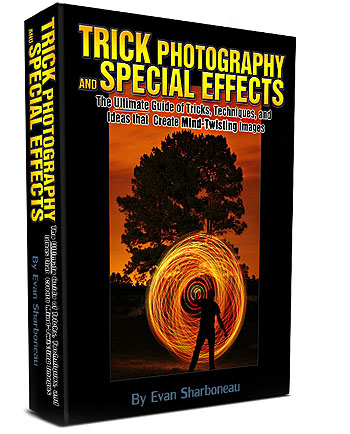
This is tutorial blog post is just an excerpt from my Trick Photography and Special Effects E-Book. If you enjoyed this post, consider getting the e-book. All the content you see here has been revised, plus new content has been added.

21Mar/105

20 Stunning Examples of Multiplicity Photography

Multiplicity photography is a photography trick where you put your camera on a tripod and then take photographs of yourself by using a self timer, or, if you use a friend to take the photos, you won't need the self timer. After all the photographs are taken, combine the photographs into layers and mask out the parts surrounding the body. This process can go fairly quickly, however if the bodies are overlapping each other then it can become time consuming because you have to carefully mask out everything but the body. If you would like to learn this technique in more detail, take a look at the Multiplicity Tutorial. If you are a Flickr member, you can submit your clone photographs to the multiplicity group, Clones group, and of course the PhotoExtremist group!

Multiplcity girl

Imagination

tree multiplicity girl rainbow photography trick

Multiplicity photograph of a girl in white clothing on a couch

Several people looking at a pool ball table in black and white taken in a multiplcity trick photo

Four cloned peple playing a card game at a table. Multiplcity picture

Young man in green Illinoise t-shirt in his room office with the multiplicity effect

Huge coloumn of multiplcity clone girls climbing tall building

Multiplicity clones of a man on old cement stair steps

Action sport Parkour freestyle jump walking on a nature rock in a field

Jumping the jump rope in the forest with three identical clones

A popular application of multiplicity is to use it in sports photography. Snowboarding, skateboarding, parkour, skiing, and rollerblading are great examples of what can be done with the multiplicity effect and a high frame rate. This is widely known as sequence photography. Check out the Sequence Photography group on Flickr if you would like to see more.

Snowboarding trick multiplicity clones photo

Multiplicity  skateboarding jump trick photo at a skatepark

Motorcross dirt bike motocross panorama jump

Military army marines in the snow

Although the multiplicity effect is commonly used with people, it can also be used with OBJECTS and ANIMALS! These kinds of photographs are much more rare, especially photos of cloned objects.

A bunch of Wrapped up Choclate truffles sitting on a table

Cloning bunnies in the backyard

Clones of the same cat on a couch

Five clones of the same dog in the backyard using the multiplicity effect

Clones of a white cat in the back yard

Once again, go watch the Multiplicity Video Tutorial if you would like to learn how to make these.